
Your Full Workout History, Always at Your Fingertips
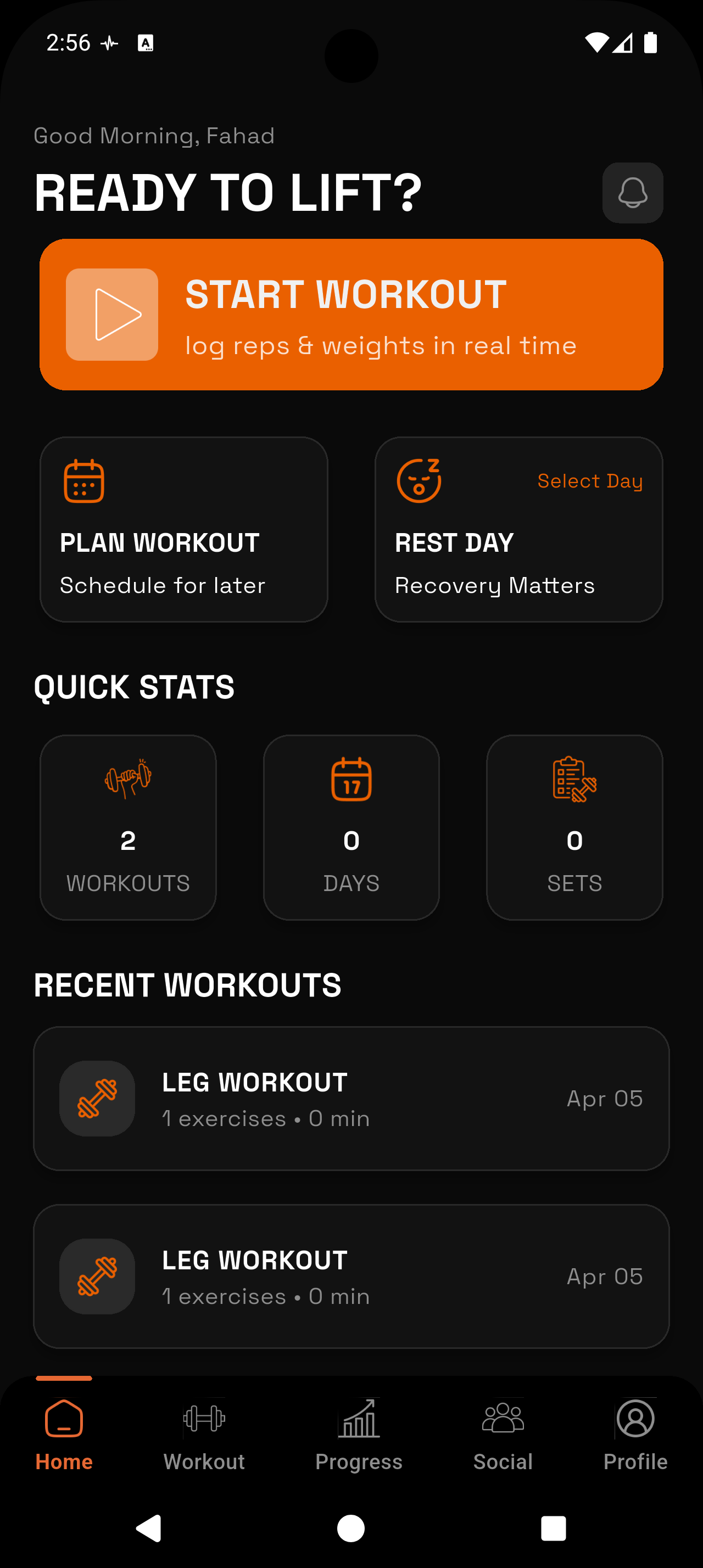
Pull up exactly what you did last Tuesday — or the last time you trained legs — without digging through notebooks or scrolling forever. RepTally keeps your complete gym log organized and searchable, so you always know what to beat.
_1783546723734-CXKxCrzf.webp)
Instant Past-Session Lookup
Tap into any previous workout in seconds. No searching, no scrolling through irrelevant data — just the session you need, right when you need it.
Per-Exercise History
See every time you have ever performed a specific exercise: sets, reps, weight, and notes, in chronological order. Know your baseline before you touch the bar.
Full Session Detail
Each logged workout stores the complete picture — every set marked as warmup, working, or failure, total volume, and any notes you added that day.
Mid-Workout Reference
Check last week's numbers while you're still on the platform. RepTally is built for the gym floor, so pulling up history takes a couple taps, not a minute of navigation.
Long-Term View
Scroll back weeks, months, or a full year of training. Spot patterns, see where you stalled, and understand exactly how your training has evolved over time.
Offline Access
Your workout history is stored on-device. Even in a basement gym with zero signal, you can review any past session without waiting for a network connection.
How It Works
Log your workouts consistently
Every set you log in RepTally is saved automatically to your history. The more sessions you record, the more useful your history becomes — a week of data is a start, a month gives you real insight.
Open History from the main menu
Tap the History tab to see your sessions listed in reverse-chronological order. Each entry shows the date, workout name, and a summary of what you hit that day.
Tap any session for full detail
Select a past workout to see the complete log: every exercise, every set with its weight, reps, and set type (warmup, working, or failure), and any notes you wrote.
Browse per-exercise history
From an exercise detail screen, view a chronological list of every time you've performed that movement — useful before starting a set when you want to know exactly what weight you hit last time.
Use history mid-workout to set your targets
While a workout is active, pull up the previous session for that routine. See the exact numbers you logged and decide whether to match them, add a small increment, or adjust based on how you feel.
Why Workout History Matters More Than People Think
Most lifters understand that progressive overload drives results. What they underestimate is how much a reliable history log changes their day-to-day training decisions. When you can see that you squatted 225 lbs for 3 sets of 8 exactly nine days ago, you have a concrete target. Without that record, you're guessing — and guessing tends to produce inconsistent effort.
A workout tracker is only as useful as the history it stores. Logging a session is the input; being able to pull that session up fast, mid-workout, on a phone screen while someone's waiting for the rack — that's the actual output. RepTally is designed around both halves of that loop.
There's also a motivational dimension people don't talk about enough. Scrolling back through six months of consistent training is concrete evidence that you showed up. It's not abstract — it's dated sessions, real numbers, and a record of what you were capable of at different points in your training.
What RepTally Stores in Every Session
Each workout you finish in RepTally is saved as a complete record. That means the date and time, the routine name, every exercise in the order you performed it, and every set with its exact weight and reps.
Sets aren't just recorded as numbers — you can mark each one as a warmup set, a working set, or a failure. That context matters when you review the log later. A set of 5 reps at 315 lbs means something different if it was a warmup versus an all-out working set.
If you added notes to a session or to a specific exercise — how your shoulder felt, a cue that clicked, a decision to deload next week — those are saved alongside the numbers. The history view gives you the full picture, not just the data.
Per-Exercise History: The Tool You'll Use Most
Session-level history shows you the broad view of a training day. Per-exercise history is where the detail lives. For any exercise in RepTally's library — or any custom movement you've created — you can pull up every instance you've ever logged it: date, sets, reps, weight, and set type.
This is the view most useful in the moment. Before you load the bar for your first working set of bench press, you can check the last four sessions of bench in under ten seconds. You'll see whether the weight has been climbing, whether you stalled, and whether last week was a strong day or a grind.
Over longer periods, this view becomes a genuine performance record. You can see where a lift was six months ago versus today. That's harder to fake than a vague sense that you've gotten stronger.
- Filter by exercise to isolate exactly the movement you want to review
- See set-by-set detail for every logged session of that exercise
- Compare warmup and working set progressions separately
- Identify sticking points — weeks where numbers plateaued — so you can adjust programming
- Reference the history screen while actively logging your next set
Using History to Train Smarter, Not Just Record More
Logging for the sake of logging doesn't help anyone. The purpose of keeping a gym log is to make better decisions — in the gym, between sessions, and over the longer arc of a training block. RepTally's history is designed to surface the right information at the right moment, not to produce a data archive you'll never revisit.
Mid-workout is when history earns its keep. You finish your second working set, the weight felt manageable, and you want to know whether to stay there or add five pounds for the last set. A two-tap check of last week's performance gives you that answer. You're not guessing — you're making a data-backed decision in real time.
Between sessions, history helps with programming adjustments. If you've hit the same weight for three weeks in a row and it's not moving, that's a stall, and the log proves it. If your volume has been creeping up for two months without a deload, the history shows that too. The log doesn't train for you — but it gives you the information to train intelligently.
Offline History and Sync
RepTally stores your workout history on-device, which means you have full access to your logs even without an internet connection. For anyone who trains in a basement gym, a garage gym with poor signal, or any facility where cell coverage is unreliable, this matters.
You can log new sessions and pull up past sessions entirely offline. When you're back on a connection, RepTally syncs automatically. Nothing is lost during an offline session — the data is written locally first, then pushed when the app detects a network.
This is a practical detail, not a marketing point. Gym floors are not reliable Wi-Fi environments. Your workout tracker should work regardless.
Frequently Asked Questions
Train. Track. Tally.
RepTally is free to use. Download it today and start logging your workouts in seconds.