A Weightlifting App Built for People Who Actually Lift Heavy
RepTally gives barbell athletes and serious gym-goers a fast, no-nonsense way to log every training session — from your first warm-up set to your heaviest working single. Free on iOS and Android.
_1783546723734-CXKxCrzf.webp)
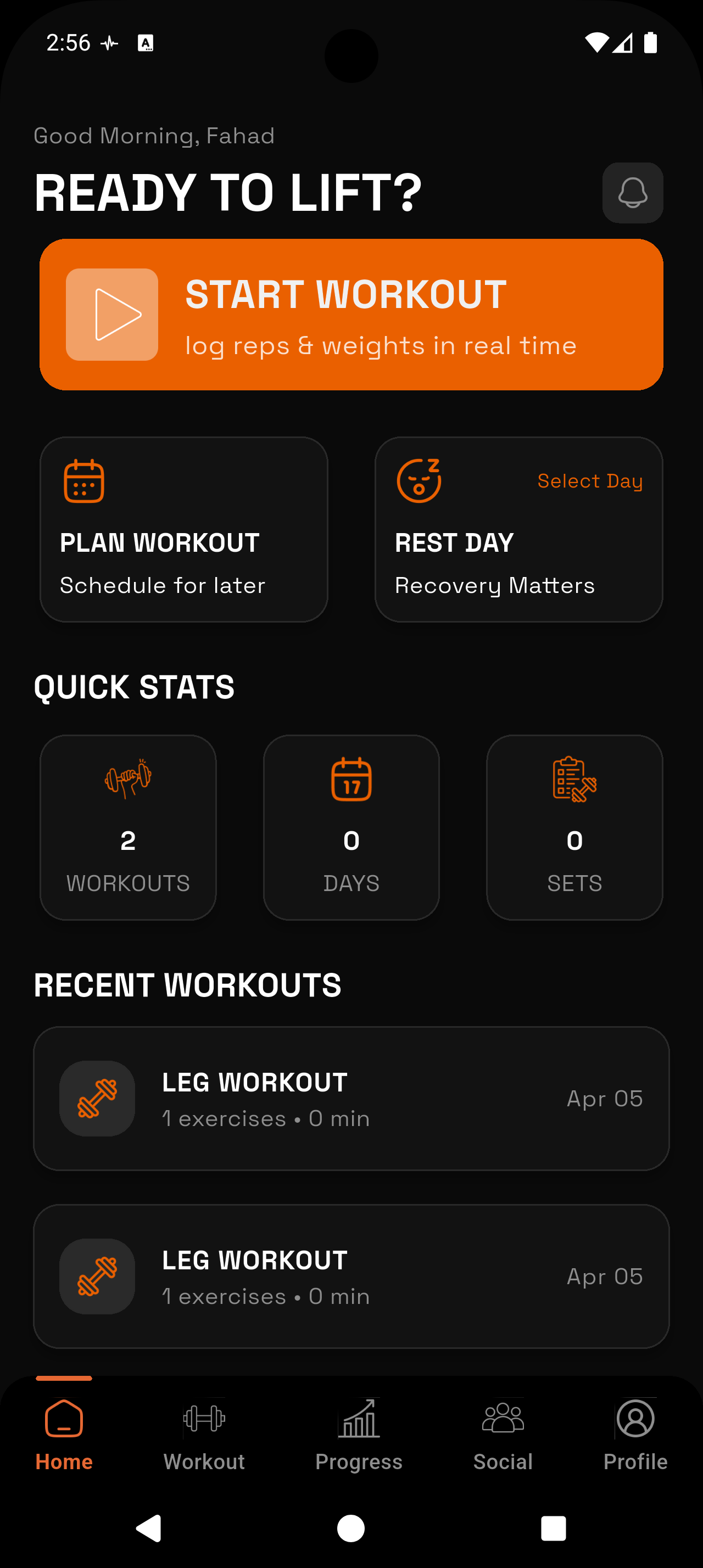
Log Every Set Type
Mark each set as a warm-up, working set, or failure. Your log tells the full story of the session, not just the top weight.
Automatic PR Tracking
RepTally flags personal records the moment you hit them — no manual checking, no spreadsheet formula required.
Visual Progress Charts
See volume, max weight, and estimated 1RM plotted over time for any lift. Know whether you are trending up or stalling.
Built-In Rest Timer
A simple countdown between sets so you stay on schedule during heavy training blocks without pulling out a separate timer.
Works Offline
Basement gym, commercial gym with dead zones, or a garage without Wi-Fi — RepTally logs your session regardless and syncs when you have signal.
Completely Free
No paid tier. No features locked behind a paywall. RepTally is free to download and free to use.
How It Works
Build your routine
Open RepTally and create a custom routine that matches your actual program — squat day, pull day, or whatever split you run. Add the barbell movements and accessories you train, set the order, and save it.
Start a session and warm up
When you are ready to train, start the session from your routine. Log each warm-up set — mark them as warm-up so they stay separate from your working-set data. The built-in rest timer keeps you moving between sets.
Record your working sets
Enter weight and reps for each working set with minimal taps. If you miss a rep or fail a set, mark it as a failure so you have an honest record. Add a note if anything worth capturing happened — grip, belt, technique cue.
Check your history before you lift
Before you load the bar, glance at your exercise history inside the app. You will see exactly what you did last session so you know what number to beat — or to hold when a deload is due.
Review your progress charts
After a training block, pull up the progress charts for your main lifts. Volume trends, max weight over time, and estimated 1RM give you an honest picture of whether the program is working.
Why Barbell Lifters Need a Dedicated Log
Strength sports are built on the principle of doing more over time — more weight on the bar, more total volume, or both. That only works if you actually know what you did last week. Relying on memory is fine when you are running a simple three-lift program at the start, but once you are managing multiple sessions per week, rotating movements, and juggling accessory work, memory becomes a liability.
A proper training log removes the guesswork. You open it before you step up to the bar, see exactly what weight and reps you hit last time, and load accordingly. Over months and years, that log becomes a complete record of your development as a lifter — a data set that tells you what programs work for your body, which movements respond quickly, and where you consistently stall.
RepTally is designed with that use case at the center. It is not a general fitness app that happens to have a weight field. It is a workout tracker purpose-built for people who care about the numbers on the bar.
Logging Warm-Ups, Working Sets, and Failures
One thing generic gym apps get wrong is treating all sets as equivalent. For a serious lifter, a 60 kg warm-up set and a 140 kg working set are completely different data points. Including warm-up weight in your volume calculations, or in your max-weight chart, produces garbage numbers.
RepTally lets you mark each set as a warm-up, a working set, or a failure. Warm-up sets are logged for completeness but kept separate when calculating training metrics. Failure sets are recorded honestly — because knowing where you failed, and at what weight, is information you can actually use when you adjust your program.
This level of detail does not slow down logging. The tap to change set type takes less than a second, and the interface is designed to get out of your way so you can focus on the next set.
Progress Charts Built for Strength Athletes
Three charts cover what strength athletes care about: volume over time (total load lifted per session), max weight (heaviest set per session), and estimated 1RM (a calculated single based on your working-set data). All three are available per exercise, so you can track your squat, bench, and deadlift independently.
The estimated 1RM chart is particularly useful during training blocks where you are not testing maxes. If your 5-rep working weight is climbing steadily, your estimated 1RM will reflect that even if you have not touched a true single in weeks. It keeps you honest about whether progress is actually happening without requiring you to max out constantly.
Personal Records: Automatic and Accurate
RepTally tracks personal records automatically. When you log a set that beats your previous best — whether by weight, by reps at the same weight, or both — the app recognizes it and marks the record. You do not have to manually note it or maintain a separate PR list.
This matters more than it sounds. Experienced lifters know that PRs do not always happen on the heaviest day. A five-rep PR at a moderate weight during a volume block is still a PR — it tells you that your strength ceiling has moved. An app that only tracks single-rep maxes misses a large portion of the progress that actually occurs during training.
Custom Routines for Any Program
RepTally does not impose a program on you. You build your routine from scratch — the exercises you actually run, in the order you run them, organized into however many days your program calls for. Whether you train four days a week with a competition powerlifting template or six days with a daily Olympic weightlifting structure, the routine builder adapts to your needs.
Every exercise in the app comes with a history view so you can reference previous sessions without leaving the logging screen. Before your next heavy squat set, you can see the last four or five sessions at a glance. That context is what turns a gym log into a coaching tool.
- Add any barbell, dumbbell, or bodyweight movement
- Organize exercises into days or sessions
- Reorder exercises within a session
- Add workout notes at the session or exercise level
- Track bodyweight alongside your lifting data
No Subscription, No Nonsense
RepTally is free, with no paid subscription tier. Every feature described on this page — logging, PR tracking, progress charts, the rest timer, offline logging — is available at no cost from the moment you download it.
Trainer-made workout templates and a social trainer explorer are in development and will be added in a future update. These features are not available yet, and RepTally does not hide core logging functionality behind them when they do arrive. The logging tools that serious lifters rely on day-to-day will remain free.
Frequently Asked Questions
Train. Track. Tally.
RepTally is free to use. Download it today and start logging your workouts in seconds.